
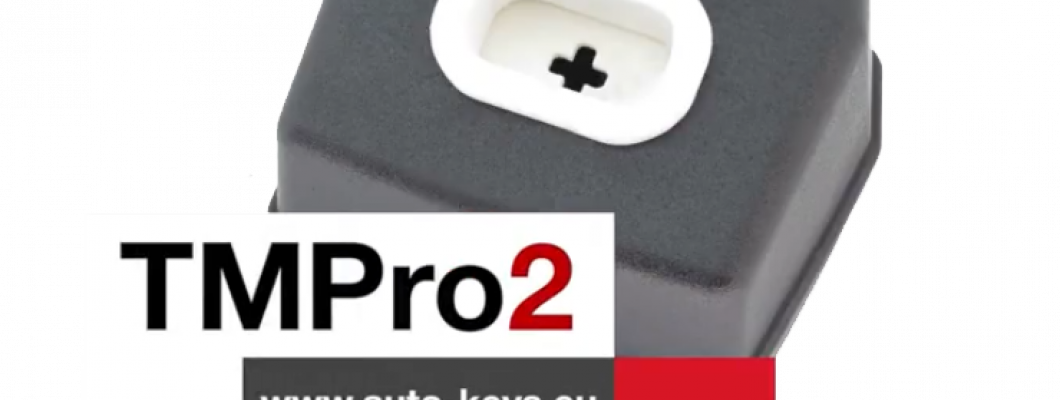
What is TMPro 2
Transponder Maker Pro (also known as TMPro keymaker or TMPro2 keymaker) are softwares for transponder key making,transponder key programming,transponder key copying and PIN code/security code calculating.Protection programmer is small box, which have to be connected to free PC USB port.Software user interface supports 10 languages - Bulgarian,English,French,Portuguese, Polish, Hungarian, Spanish, Serbian, Italian and Czech.They are simply to use and offer wide range of softwares that supports various immoboxes and keys. All softwares are auto-updateable to latest version available on server.At start of software it checks if there is new version released.If released,software automatically updates itselfs,this way you always run latest versions. TMPro2 softwares are designed to help in locksmith`s job.
TMPro 2 is a module based device.Which let you buy the base hardware and then add only the modules you need.
The Basic TMPro kit contains:
- TMPro programmer
- Cables and adaptors for programing microcontrolers and memmories
- USB cable type A to B
- Software for instalation on computer
- Orange5 case
How to use it?
- Connect TMPro to the adapter using via the cable
- Connect TMPro to the computer using the USB cable
How to install the software for TMPro 2?
Follow the steps:
- Disable the driver signature for windows.
- Go to the start menu , in the search box type CMD , right click on Command Promnt and select Run as administrator.Click Yes if Windows ask for permition.
- Inside the opened window you need to type the following 3 lines,and press Enter after every single line:
- bcdedit /set testsigning on
- bcdedit -set loadoptions DDISABLE_INTEGRITY_CHECKS
- bcdedit.exe - set TESTSIGNING ON
- Click here to download the drivers from our website.
- Click here to download the software from our website.
- In your Device Manager tab will appear Other devices, click it to expand and you should see the "Orange5".
- Open My Computer , open drive C: , make a new folder called TMpro2.Extract the downloaded archives in that folder(C:\TMpro2).
- Open TMPro2software folder, and right click on the TMPro2.exe file. Select send to Desktop to create a shortcut for the software on your Desktop.
- Go to your Desktop, right click on My Computer and select Manage.
- From the opened window click on Device Manager.
- Connect your TMPro2 with your computer with the USB cable.
- On the window(Computer Management), choose Other devices and your Transponder Maker Pro should appear. If it does not appear then try to plug the cable out and in again.
- Press the right button on your mouse and choose Update Driver Software.
- Click Browse my computer for driver software.
- Click Let me pick from a list of device drivers, press Next.
- Click on Have Disk, click Browse, go to My Computer, click on Lockal Disk(C:), click on TMpro2 folder.
- Open the TMPro2Drivers folder, choose the ftdibus file and click Open
- On the window Install From Disk press Ok, press Next.
- Click Install this driver anyway. The instalation may take a while so please be patient.
- When the instalation is over, click Close
TMPro2 is now ready for work!
If you are trying to run TMPro software BEFORE installing of USB drivers, you will face this error: “Program cannot start because FTD2XX.dll is missing”.
If in left down corner of software you see message “Hardware NOT found“, this means that something with driver instalation is wrong.
Restart computer and try again with installation.You can check if hardware installation is good – in Device Manager – USB devices – you have to find “Transponder Maker Pro 2“.
NOTE about automatic updates:
- If you are running version of main software 2.352 and older, automatic software update will not work.
- To enable automatic updates: at first you must DELETE this old version of software.
- Then automatic software update will work again and you will receive updates.
NOTE for owners of older hardware without round 8-pin connector:
If you wish to upgrade your hardware for to use full functionality, you must buy upgrade set.
How to upgrade your TMPro with the new and improved interface:
- If you dont have TMPro renew kit go to : auto-keys.eu. You will need TMPro renew kit, Soldering and Screwdrivers.
- Disassemble your old TMPro:
- Remove the 2 body holder screws. They are on the back of the TMPro.
- With hands remove the port. Do not use too much force.Be carefull not to damage the wire connector inside.
- Desolder the wire connector.
Use the soldering iron to desolder the wire connector. - Separate the PCB from the board.
Remove the screws using screwdriver. - Prepare the new TMPro.
Disassemble your new TMPro interface into 3 components. - Attach the PCB to the board using screwdriver.
- Place the Connnector into its socket and fix it with the nut.
- Place the botton cover and use a screwdriver to fix it in possition.
- Use soldering iron to solder the coil with the wire connector.
- Possition the coil into the socket and press down with your hands untill its fixed into place.
For more videos about TMPro 2 check our youtube channel here
1712 Comment(s)
I am sure this paragraph has touched all the internet people, its really really nice piece of writing on building up new web site.
There's definately a lot to find out about this subject. I love all the points you've made.
I came across Reddybook recently and the interface seems quite practical. The navigation feels smooth, the sections look organized, and the overall design avoids unnecessary distractions. A clear layout like this makes the experience more comfortable for both new users and people who use the platform regularly.
Ahaa, its nice discussion concerning this post at this place at this web site, I have read all that, so at this time me also commenting at this place.
I need to to thank you for this good read!! I certainly enjoyed every bit of it. I've got you book-marked to look at new stuff you
I will right away grasp your rss as I can't find your e-mail subscription hyperlink or newsletter service. Do you've any? Please permit me realize so that I could subscribe. Thanks.
I am sure this article has touched all the internet viewers, its really really nice post on building up new webpage.
I always spent my half an hour to read this website's content all the time along with a cup of coffee.
I will immediately take hold of your rss feed as I can't to find your email subscription link or e-newsletter service. Do you have any? Please permit me understand in order that I may just subscribe. Thanks.
I am sure this paragraph has touched all the internet users, its really really nice post on building up new website.
I am genuinely glad to glance at this webpage posts which contains tons of helpful data, thanks for providing these data.
From a user perspective, Reddy Anna club looks designed for convenience. The simple structure makes browsing easier, and there is less chance of feeling lost while moving between sections. When usability is handled well, the platform naturally becomes more appealing and leaves a stronger overall impression.
Honestly, I’ve had a much better run lately since I switched over to the Cricbet99 Win version. Might just be luck, but the interface feels way faster than the old sites I was on. Anyone else seeing better results on this version, or is it just me having a good week? Haha.
정말 흥미로운 글이네요! 복잡한 아이디어를 이해하기 쉽게 풀어쓰는 능력이 뛰어나십니다.
https://sharon.isweb.co.kr/
정말 흥미로운 글이네요! 복잡한 아이디어를 이해하기 쉽게 풀어쓰는 능력이 뛰어나십니다.
https://sharon.isweb.co.kr/
Hi, I do believe this is a great blog. I stumbledupon it ;) I may return yet again since I book marked it. Money and freedom is the best way to change, may you be rich and continue to guide others.
Ahaa, iits pleasant converfsation abot this article aat this plae at thbis website, I hawve read alll that, sso noow mme alsso commenting here.
I came across Reddy book login recently and the interface seems quite practical. The navigation feels smooth, the sections look organized, and the overall design avoids unnecessary distractions. A clear layout like this makes the experience more comfortable for both new users and people who use the platform regularly.
sattamatka buzz today result live provides instant updates and clear chart details for users every day. The website design looks clean and modern, making browsing comfortable on all devices. I like how quickly the results are displayed because visitors can access live numbers without confusion or unnecessary waiting online.
Visit More:
https://fairygodboss.com/users/profile/8iz1A89nEd/Harper-Collins
https://www.divephotoguide.com/user/sattamatkabuzz/
https://profile.hatena.ne.jp/sattamatkabuzz/
https://www.4shared.com/u/Ipq_ac3i/sattamatka.html
https://leetcode.com/u/sattamatkabuzz/
https://velog.io/@sattamatkabuzz/posts
https://www.gta5-mods.com/users/sattamatkabuzz
https://forum.ircam.fr/profile/sattamatka/
https://www.zeczec.com/users/sattamatkabuzz
https://slideslive.com/8qm2sqyzoqou?tab=about
I’ll right away grab your rss feed as I can not in finding your e-mail subscription hyperlink or e-newsletter service. Do you have any? Kindly let me understand so that I may subscribe. Thanks.
Leave a Comment